Query Federation
Spice provides a high-performance SQL query engine built on Apache DataFusion, supporting query federation across multiple data sources including databases (PostgreSQL, MySQL), data warehouses (Databricks, Snowflake, BigQuery), and data lakes (S3, MinIO).
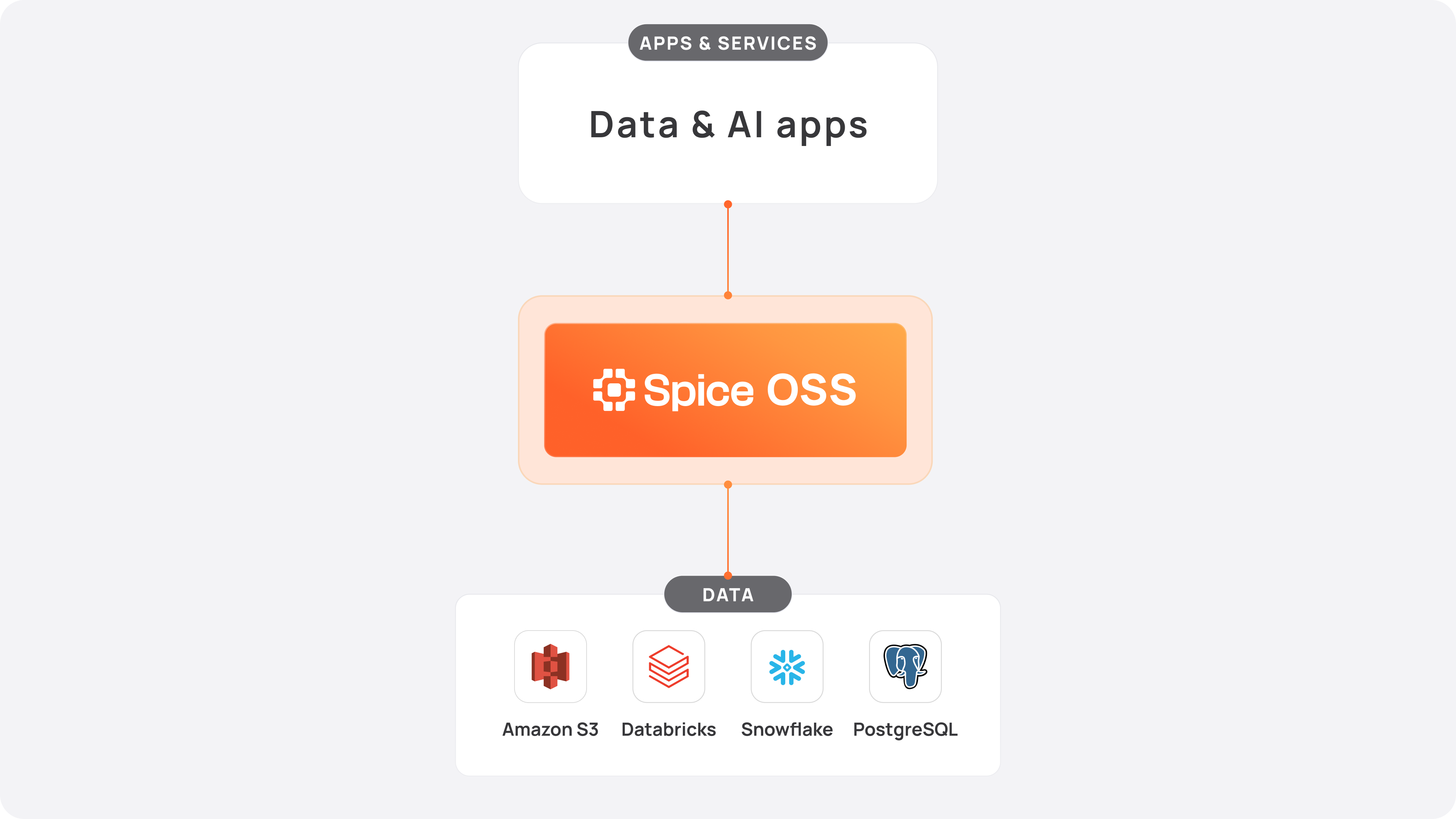
For a full list of supported sources, see Data Connectors.
Query Methods
Spice supports multiple ways to execute queries:
- SQL Queries: Execute standard SQL queries against datasets using the HTTP API, Arrow Flight SQL, JDBC, ODBC, or ADBC.
- Parameterized Queries: Execute prepared statements with parameter binding for improved security and performance.
- Federated Queries: Join and query data across multiple sources in a single SQL statement.
API Endpoints
| Protocol | Endpoint | Description |
|---|---|---|
| HTTP | /v1/sql | Execute SQL queries over HTTP |
| Arrow Flight SQL | grpc://localhost:50051 | High-performance Arrow-native queries |
| JDBC/ODBC | Flight SQL compatible | Connect from BI tools and applications |
| ADBC | Flight SQL driver | Arrow Database Connectivity |
HTTP API
Execute a query using the HTTP API:
curl -X POST http://localhost:8090/v1/sql \
  -H "Content-Type: application/json" \
  -d '{"sql": "SELECT * FROM my_table LIMIT 10"}'
Arrow Flight SQL
Connect using Arrow Flight SQL for high-performance data transfer:
import adbc_driver_flightsql.dbapi

conn = adbc_driver_flightsql.dbapi.connect('grpc://localhost:50051')
cursor = conn.cursor()
cursor.execute("SELECT * FROM my_table LIMIT 10")
result = cursor.fetch_arrow_table()
SQL REPL
Use the Spice CLI for interactive queries:
spice sql
SELECT * FROM my_table LIMIT 10;
Query Features
📄️ Parameterized Queries
Learn how to use prepared statements and parameterized queries in Spice for improved security and performance.
📄️ URL Tables
Query object store files directly using URLs without pre-registering datasets
Federated Query Example
To start using federated queries in Spice, follow these steps:
Step 1. Install Spice by following the installation instructions.
Step 2. Clone the Spice Cookbook repository and navigate to the federation directory.
git clone https://github.com/spiceai/cookbook.git
cd cookbook/federation
Step 3. Login to the demo Dremio.
spice login dremio -u demo -p demo1234
Step 4. Create a new Spice app called demo.
# Create Spice app "demo"
spice init demo

# Change to demo directory.
cd demo
Step 5. Add the spiceai/fed-demo Spicepod.
# Change to demo directory.
cd demo

spice add spiceai/fed-demo
Note in the Spice runtime output several datasets are loaded.
Step 6. Start the Spice runtime.
spice run
Step 7. Show available tables and query them, regardless of source.
# Start the Spice SQL REPL.
spice sql
Show the available tables:
show tables;
Execute the queries:
-- Query S3 (Parquet)
SELECT *
FROM s3_source LIMIT 10;

-- Query S3 (Parquet) accelerated
SELECT *
FROM s3_source_accelerated LIMIT 10;

-- Query Dremio
SELECT *
FROM dremio_source LIMIT 10;

-- Query Dremio accelerated
SELECT *
FROM dremio_source_accelerated LIMIT 10;
Step 8. Join tables across remote sources and locally accelerated source
-- Query across S3 and Dremio
WITH all_sales AS (
   SELECT sales FROM s3_source
   UNION ALL
   select fare_amount+tip_amount as sales from dremio_source
)
SELECT SUM(sales) as total_sales,
       COUNT(*) AS total_transactions,
       MAX(sales) AS max_sale,
       AVG(sales) AS avg_sale
FROM all_sales;

+--------------------+--------------------+----------+--------------------+
| total_sales        | total_transactions | max_sale | avg_sale           |
+--------------------+--------------------+----------+--------------------+
| 11501140.079999998 | 102823             | 14082.8  | 111.85376890384445 |
+--------------------+--------------------+----------+--------------------+

Time: 1.079320792 seconds. 1 rows.
Step 9. Join tables across locally accelerated sources and query
-- Query across S3 accelerated and Dremio accelerated
WITH all_sales AS (
   SELECT sales FROM s3_source_accelerated
   UNION ALL
   select fare_amount+tip_amount as sales from dremio_source_accelerated
)
SELECT SUM(sales) as total_sales,
       COUNT(*) AS total_transactions,
       MAX(sales) AS max_sale,
       AVG(sales) AS avg_sale
FROM all_sales;

+-------------+--------------------+----------+--------------------+
| total_sales | total_transactions | max_sale | avg_sale           |
+-------------+--------------------+----------+--------------------+
| 11501140.08 | 102823             | 14082.8  | 111.85376890384447 |
+-------------+--------------------+----------+--------------------+

Time: 0.011524375 seconds. 1 rows.
Acceleration
The query in step 8 returns results from federated remote data sources, but performance is affected by network latency and data transfer overhead.
Step 9 demonstrates the same query executed against locally materialized datasets using Data Accelerators. By storing data locally, queries avoid network round-trips and achieve significantly faster response times.
- Query Performance: Without acceleration, federated queries will be slower than local queries due to network latency and data transfer.
- Query Capabilities: Not all SQL features and data types are supported across all data sources. More complex data type queries may not work as expected.
Related Topics
- Distributed Query - Scale queries across multiple nodes
- Results Caching - Cache query results for improved performance
- Arrow Flight SQL API - High-performance query protocol
- ADBC - Arrow Database Connectivity
